How-To: Clock In / Clock Out
How to Clock In, Enter Break/Lunch time, and Clock Out
1.Click the "Clock in / Clock Out" Button to go to the next screen where you will Clock in.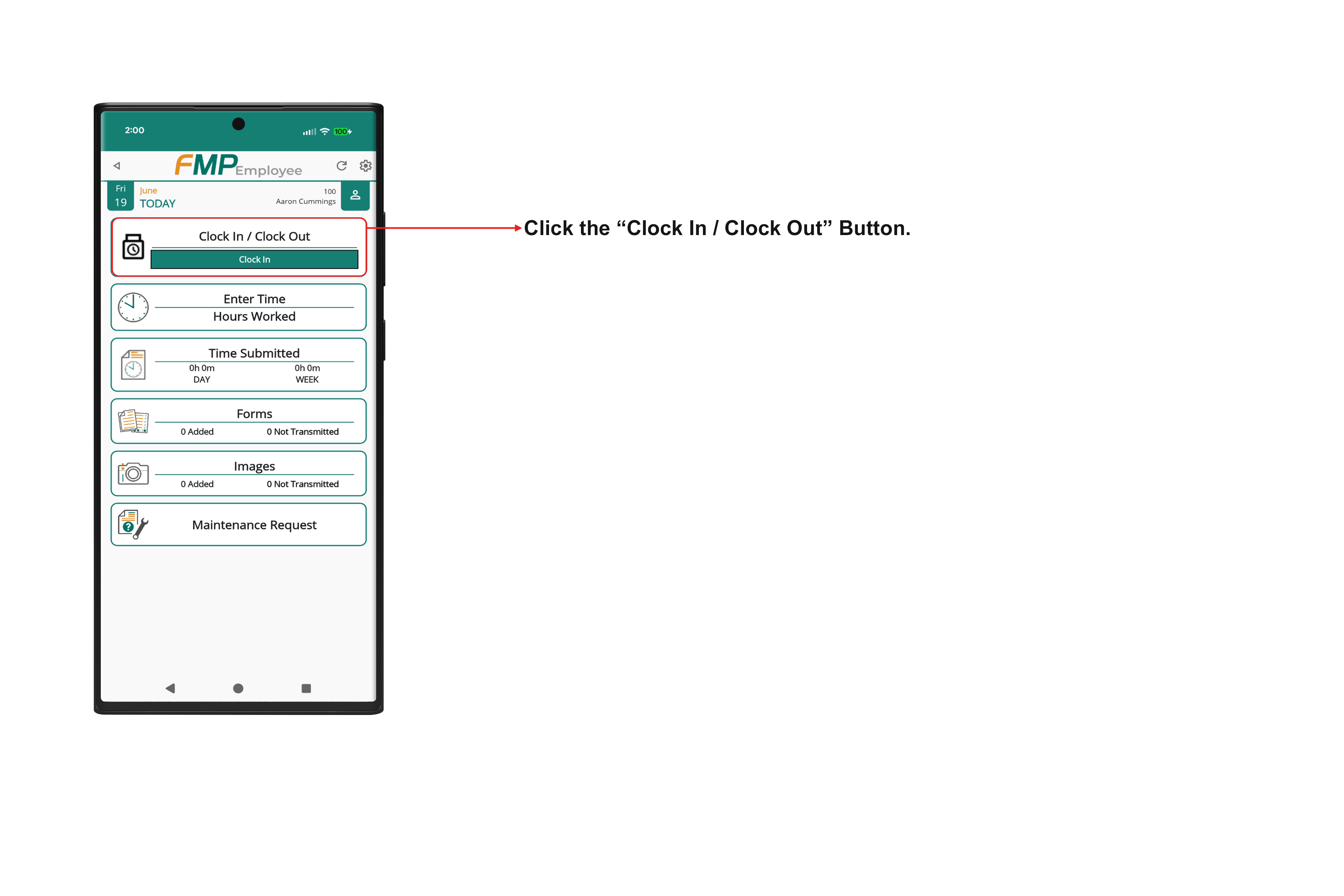 2. Once you are ready to clock in for the day, press the "Clock In" button.
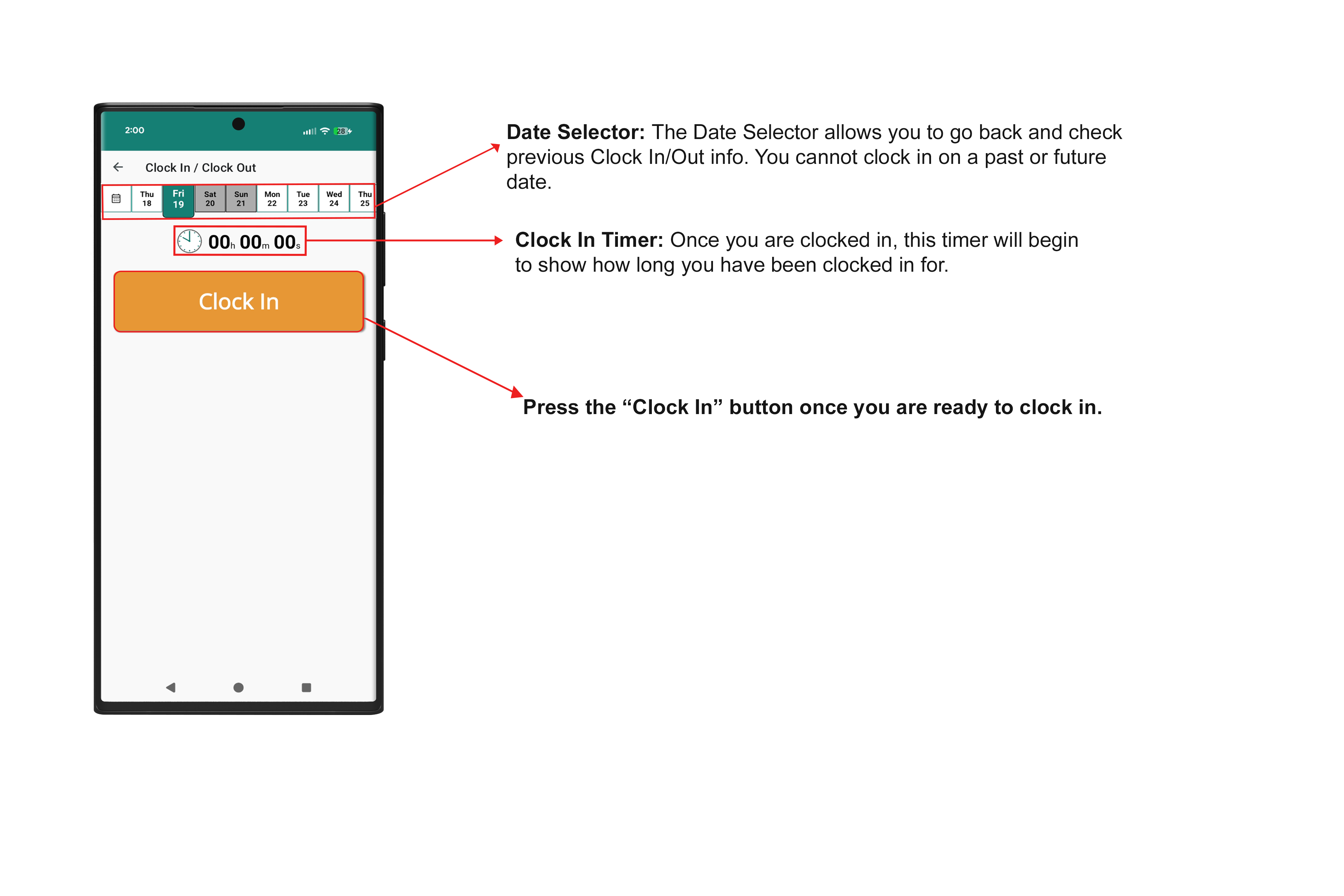
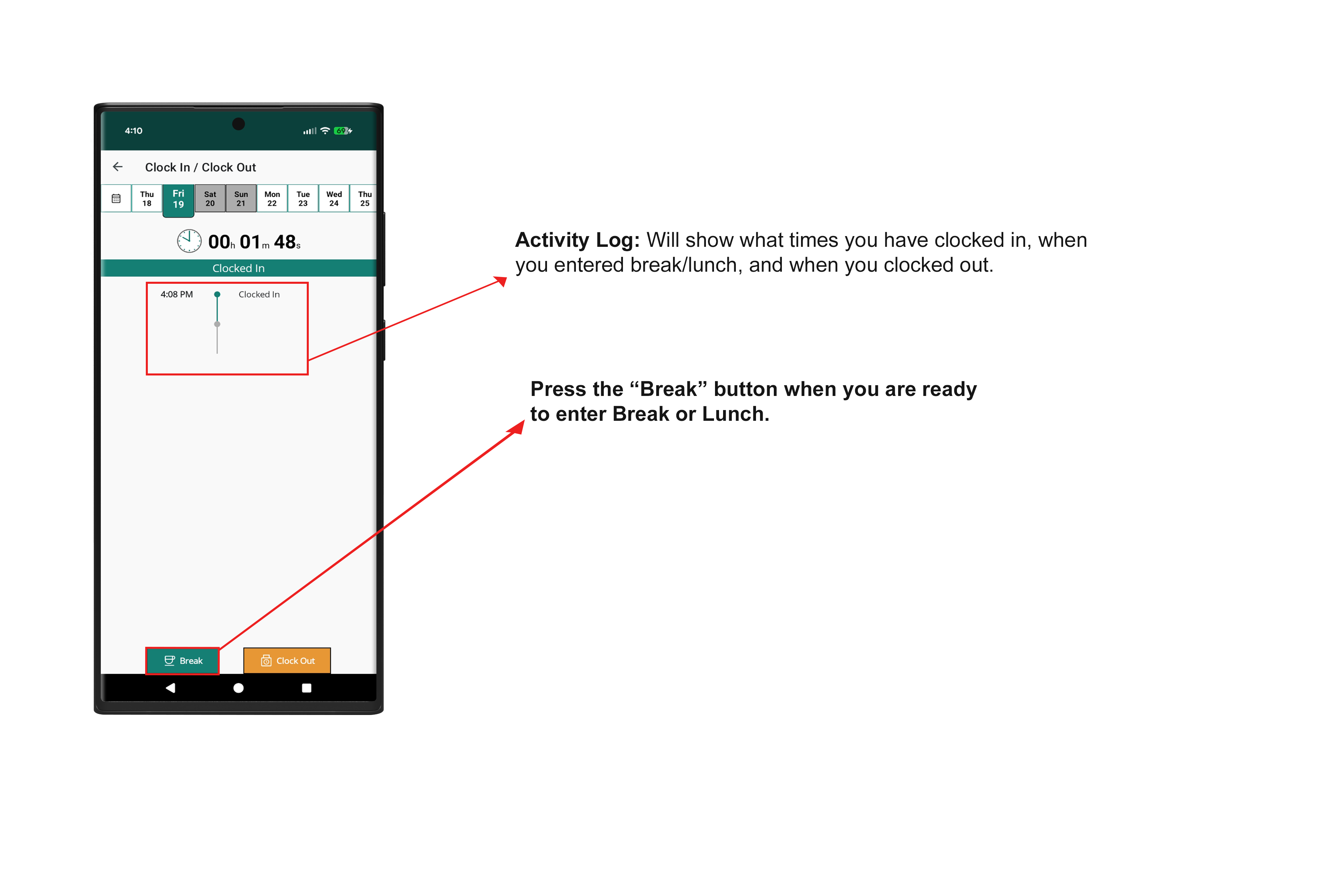
3. Once you are Clocked in, you will now have the ability to Clock Out for Break near the bottom. Press the "Break"
button when you switch to Break or Lunch.
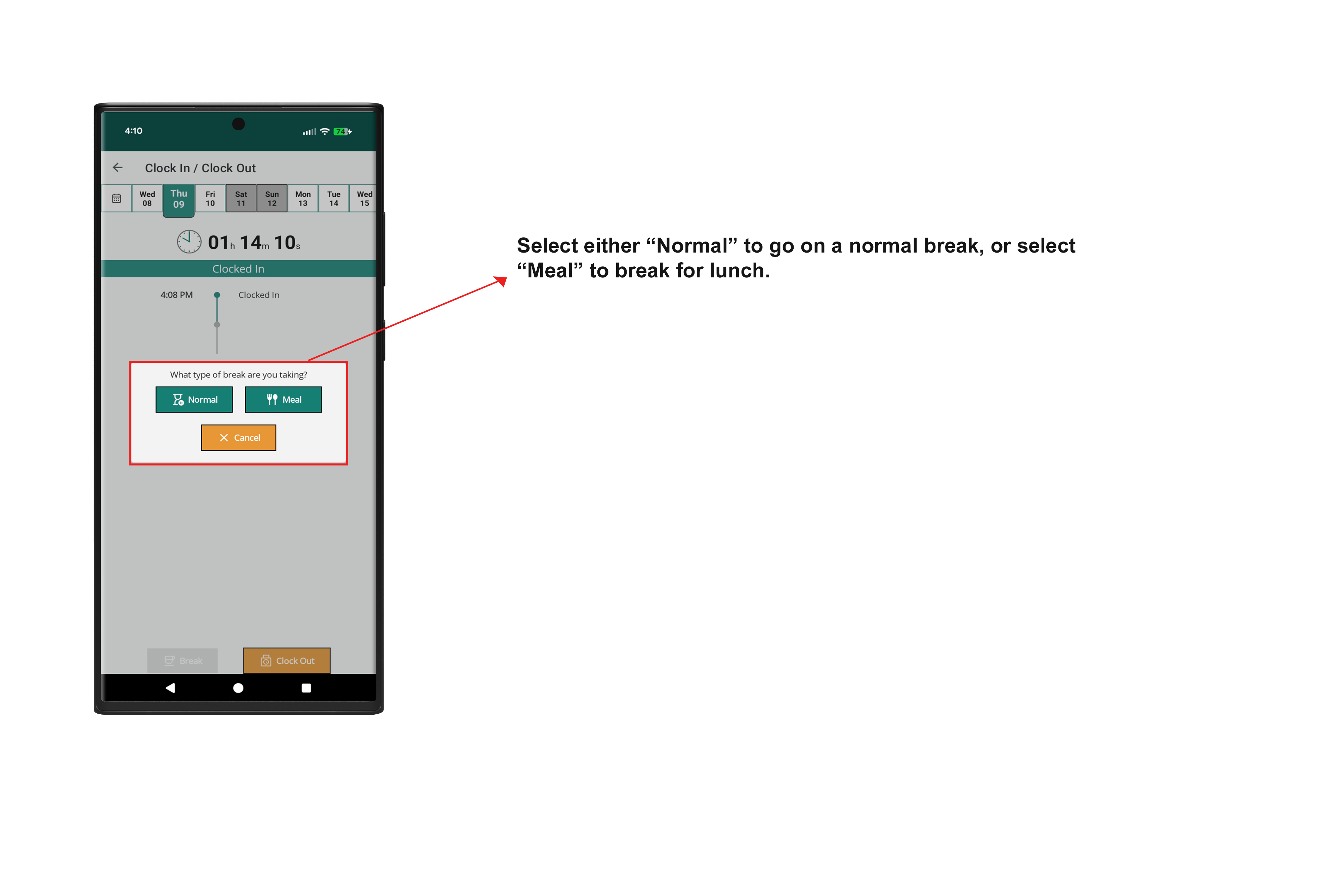
4. Select either “Normal” to go on a normal break, or select “Meal” to break for lunch.
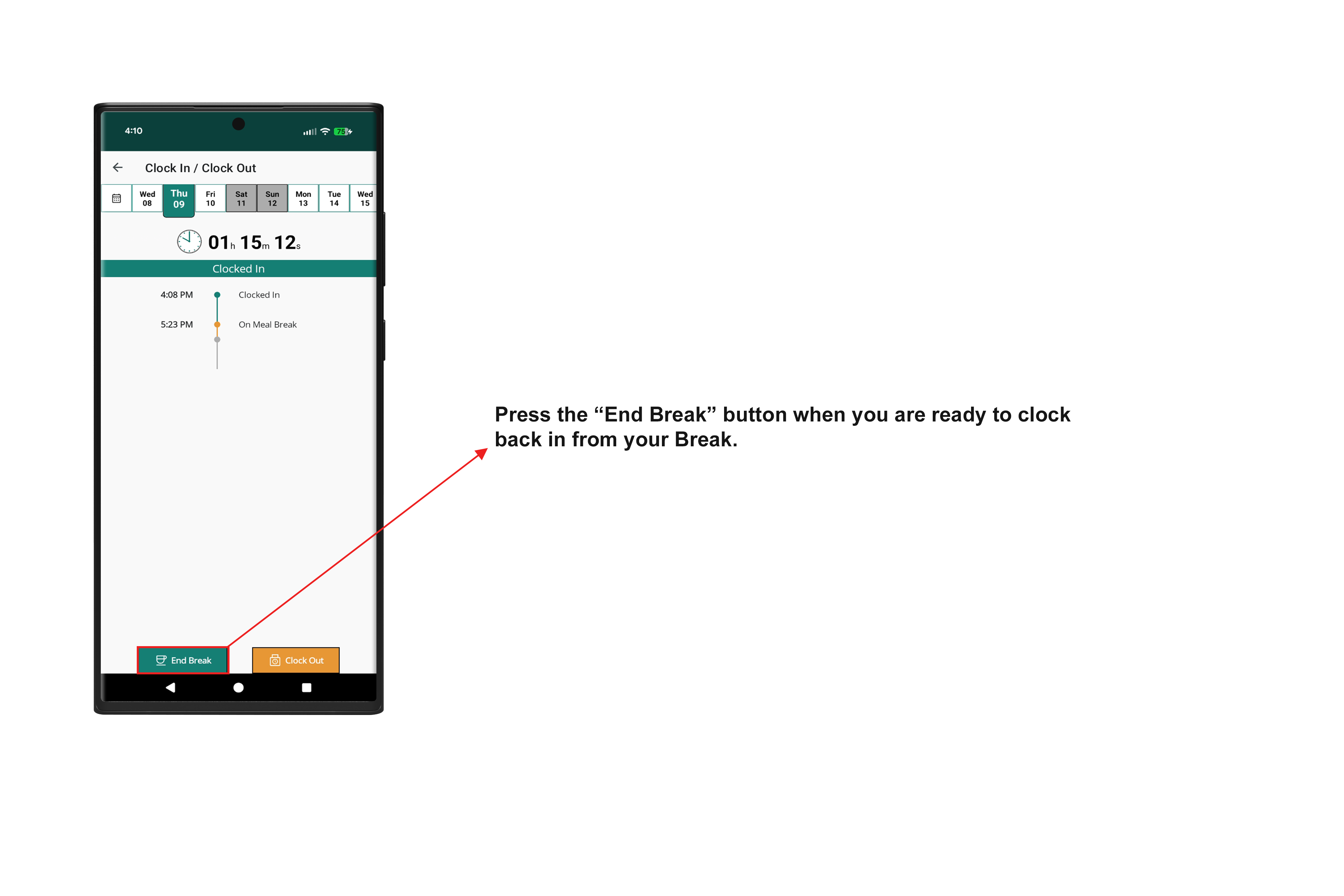
5. Your Activity log will now show when you clocked out for your break/lunch. Once you are ready to end your break, select the "End Break" button.
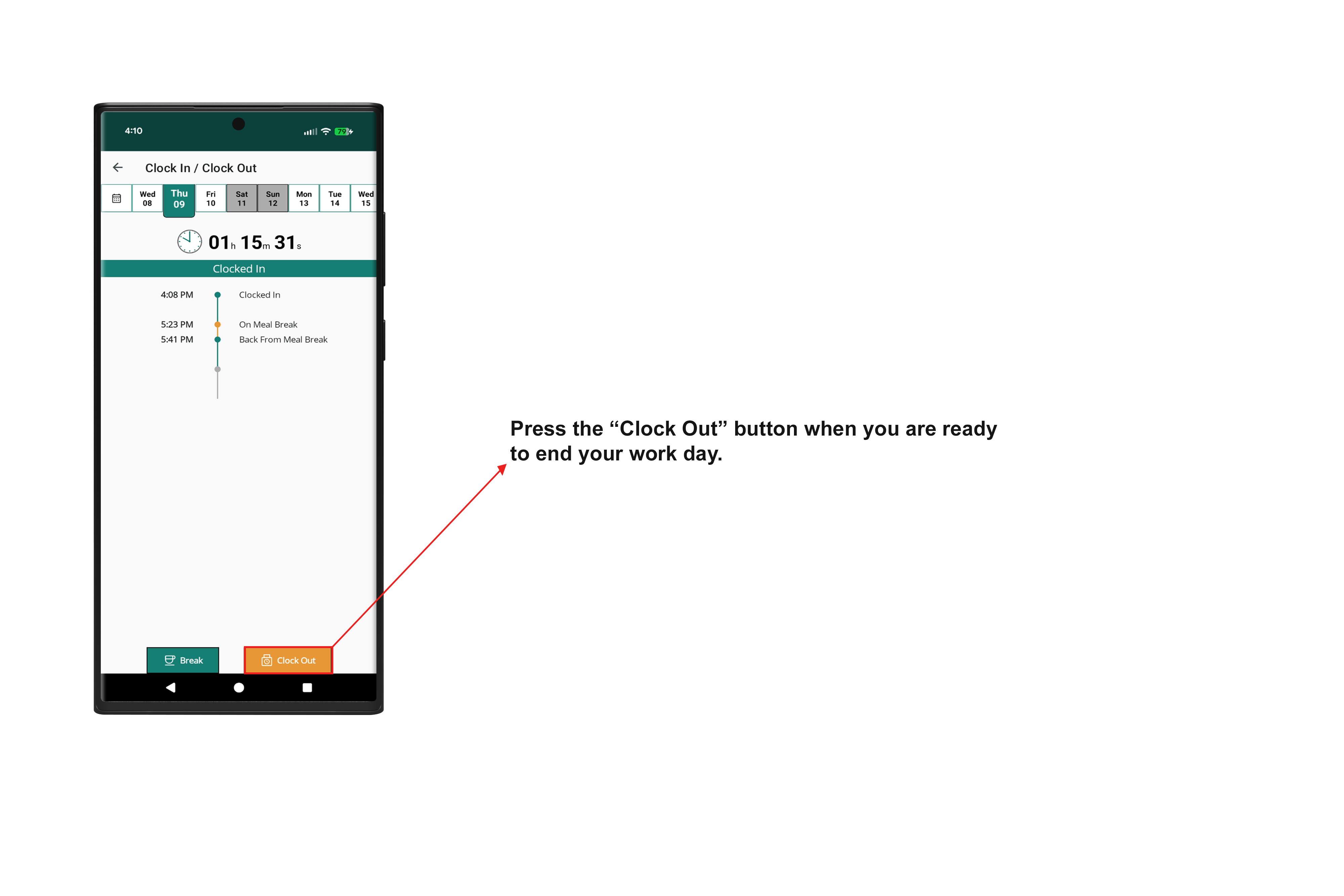
6. Press the "Clock Out" button when you are ready to clock out for the day.
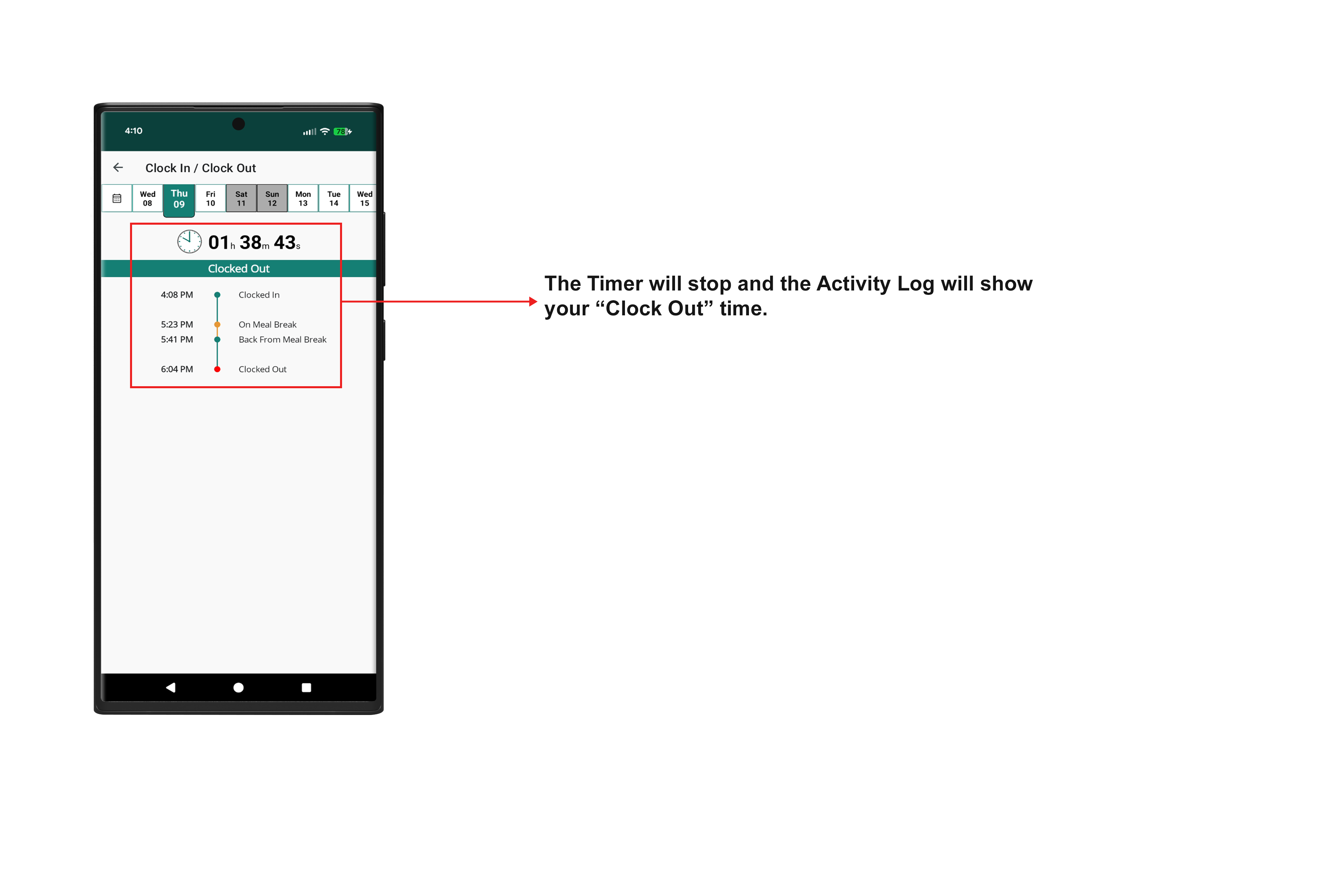
7. When you clock out, the timer will stop and the Activity Log will show your “Clock Out” time.
Was this article helpful?
That’s Great!
Thank you for your feedback
Sorry! We couldn't be helpful
Thank you for your feedback
Feedback sent
We appreciate your effort and will try to fix the article